Creative Career Basics
Fundamental principles and concepts
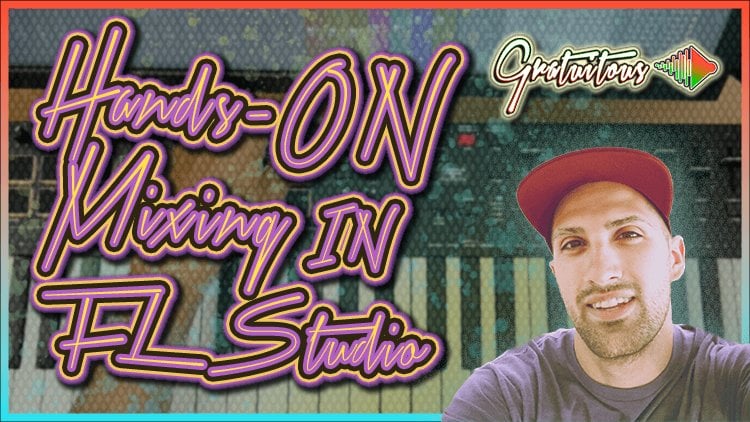
Hands-On Mixing with MIDI Controller
Unlock creativity with Skillshare! Learn acrylic painting, AI writing, graphic design, and photography.
Why choose Premium?
verifiedGet this course for free with the Coursera Plus subscription.
✓ Compare courses before making a decision
Check Latest Price →Price may vary. Check latest price on provider site.
Course Insight
Suitable for intermediate learners. Works well as a continuation after mastering Creative Career fundamentals. It bridges the gap toward advanced, production-level engineering.
Intermediate FriendlySelf-Paced LearningProject-Based
SKILLS TO
MASTER
Practical ApplicationTrending
Real-world project implementationBest Practices
Industry standard workflows and guidelinesCareers:Relevant for professionals pursuing roles within Creative Career.
Quick Facts
Below sections are verified from last major sync. For real-time updates and today's latest lectures, Check official page here.
What You’ll Learn
- Hands-On Mixing in FL Studio is something I've ALWAYS wanted to do.. I went as far as trying a "motorized mixing unit" only to find out, it didn't give the best hands-on workflow....
- But, I finally found a pretty enjoyable hands-on approach, which this course will teach you, all based off your MIDI Keyboard!.
- This course will teach you how to get hands-on mixing in FL Studio with your MIDI Keyboard, WITHOUT needing motorized faders!.
- Note, the course focuses on FabFilter Plugins for a great hands-on workflow, but you are also shown how to get up and running with hands-on mixing in regards to FL Studio Stock Plugins (or other third-party plugins of your choice)..
- .
- WHAT IS COVERED?.
- You will learn how your MIDI Keyboard operates to understand "banks".. which means you have many more knobs and sliders on your MIDI Keyboard than shown! (For example, even though my MIDI Keyboard has 8 Knobs, and 9 Sliders, I actually have 32 Knobs and 36 Sliders over 4 different banks!):.
- You will then learn how to properly back-up FL Studio in regards to Global Links which will allow you to be as aggressive as you want, and know you can simply go back to the way things were, in case you mess anything up, and it gets out of hand!.
- We then cover the fundamental FabFilter plugins like Pro-C 2, Pro-Q 3, Pro-L 2, and Pro-MB..
- You are shown in-depth how to set up these plugins with your MIDI Keyboard for hands-in mixing, and discover how to set up Mapping Formulas in creative ways to cater to your own mixing style..
- As a bonus, I share my motorized fader "Mackie Control Universal" unit.. showing how "cool it looks", but in reality, when it comes to FL Studio 20, using a MIDI Keyboard is the easiest way and most affordable way to get "hands-on" and map plugin parameters to its knobs and sliders..
- Ready to Get Hands-On in FL Studio?.
- By enrolling into this course, you will be taught how to get hands-on mixing in FL Studio while using FabFilter plugins (but the concepts will relate to any plugin you use.. but I cannot promise you'll get the same FabFilter experience..
- Note, I used the M-Audio Oxygen Pro MIDI Keyboard in this course, which I have been having a REALLY good experience with!.
See side-by-side differences in what you’ll learn
Description
[INTRO] - Hands-On Mixing in FL Studio (FabFilter Plugins)
1-1 - Hands-On Example
2-1 - Backing Up Your FL Studio Mapping Settings
2-2 - Understanding Your MIDI Keyboard
2-3 - Project Links vs Global Links Troubleshooting
2-4-1 - Mapping Formulas Tweaking [PART 1]
2-4-2 - Mapping Formulas Tweaking [PART 2]
3-1 - FabFilter Hands-On [Overview]
3-2 - FabFilter Pro C 2 Hands-On
3-3 - FabFilter Pro Q 3 Hands-On
3-4 - FabFilter Pro L 2 Hands-On
3-5 - FabFilter Pro MB Hands-On
4-1 - FL Studio Stock Plugins Example
4-2 - FL Studio Stock Plugins Example
5-1 - FabFilter Mixing Example
5-2 - Omni Mode [BONUS]
5-3 - Mackie Motorized Faders [BONUS]
[OUTRO] - Hands-On Mixing in FL Studio
See how this course compares with alternatives
FAQs
Reviews
⭐4.7 / 5 average rating from 0+ learners
View detailed reviews on Skillshare →Unsure about these reviews? Compare with other top courses
Top Alternatives
Highly-rated courses worth your attention

⭐ 0(0+ learners)